CDM documentation built for project coordination.

Template reports and checklists that help teams capture duty holder responsibilities, project information, safety planning, inspections, and handover records.

Document Map

Choose records by project stage and evidence type.

CDM documentation is easier to control when each record has a clear purpose: governance, pre-construction information, construction phase control, or handover evidence.

Governance

Appointments & Duties

Use these records to show who is responsible and how decisions are coordinated.

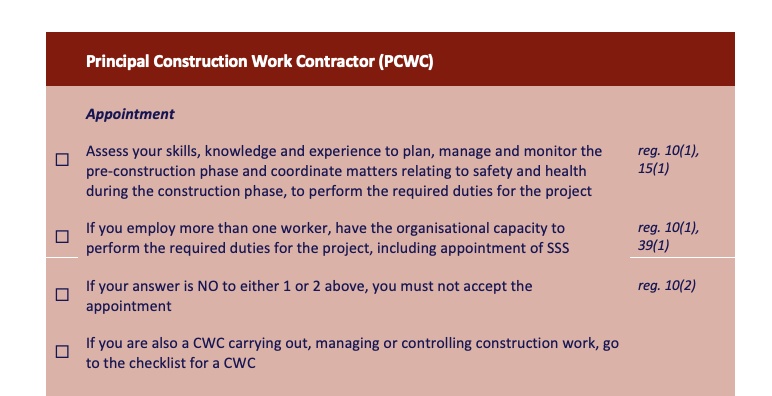
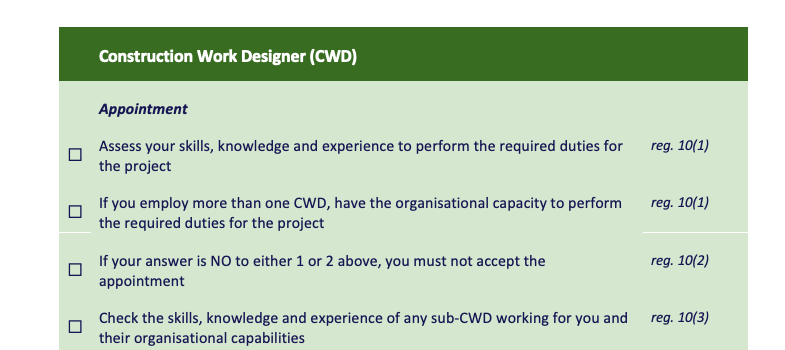
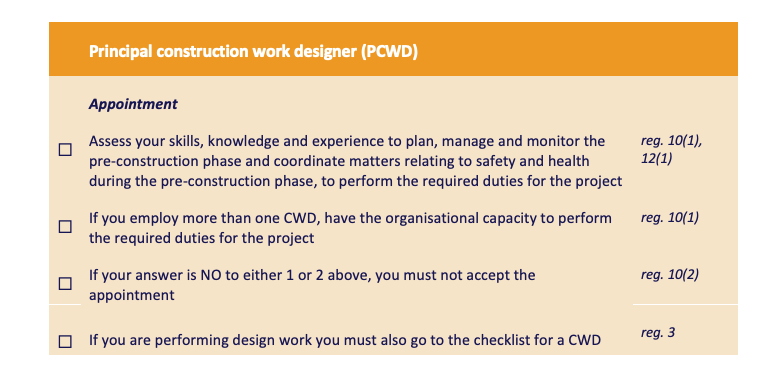
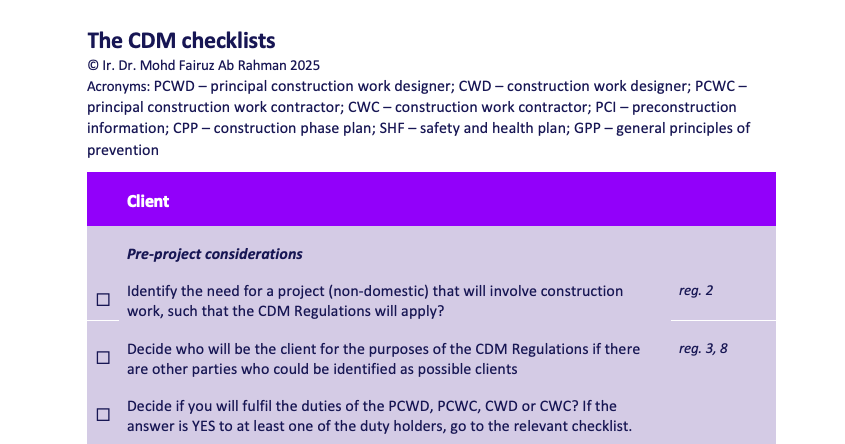
  • Duty Holder Checklist
    Client, PCWD/CWD, PCWC/CWC, and supporting roles.
  • Appointment Records
    Written scope, authority, deliverables, and fees.
  • Meeting & Action Records
    Evidence of coordination and close-out.
Pre-Construction

PCI & Design Risk

Use these before work starts so risks, client goals, and site constraints are visible.

  • PCI
    Site constraints, existing hazards, and client safety and health goals.
  • CDM2 / Survey Inputs
    Information needed before DRA and design review.
  • DRA / RAG Review
    Hazard elimination, option selection, and residual risk notes.
Construction

Site Control Records

Use these to manage active site controls, inspection evidence, and communication.

  • CPP
    Project arrangements, welfare, site rules, risk control, and communication.
  • Inspection Reports
    Scaffold, work at height, crane, and lifting checks.
  • Site Review Records
    Supervision notes, changes, and coordination evidence.
Handover

SHF & Future Use

Use these to preserve information needed by future owners, users, maintainers, and contractors.

  • SHF
    Information for maintenance, repair, alteration, and future works.
  • CDM5 / CDM6 / CDM7
    Safety file, project procedures, and health issue matrix.
  • Building Manual Inputs
    Final handover records for facilities teams.

APS + DRA Workbook

A workbook structure for project details, CDM forms, DRA reviews, and handover records.

The APS + DRA workbook connects the CDM process into a working document set, from project baseline information through design risk registers, construction risk review, option selection, CDM procedures, and Safety and Health File records.

  • Project Details, CDM1, and CDM1a establish the client brief, project strategy, and team timeline.
  • CDM2 tracks client safety and health goals, site investigation, and survey information needed for DRA reviews.
  • CDM3, DRA1, DRA2, DRA3, and CRA record significant CDM issues, risk analysis, controls, and owners.
  • CDM4a supports option comparison with pros, cons, selected option, and justification.
  • CDM5, CDM6, and CDM7 support SHF, CDM procedures, and health issue tracking.
01

Set Project Baseline

Project Details, CDM1, and CDM1a define objectives, scope, roles, timeline, and information status.

02

Collect PCI & Survey Inputs

CDM2 tracks safety and health goals, topographical, utility, drainage, GPR, environmental, geotechnical, contamination, noise, air, and vibration survey needs.

03

Run DRA Reviews

DRA1, DRA2, DRA3, and CRA capture hazards, pure or remaining risk, prevention through design, controls, owners, and SHF markers.

04

Compare Options

CDM4a records possible design solutions, option pros and cons, selected option, and justification.

05

Prepare Handover Records

CDM5, CDM6, and CDM7 support the SHF, CDM project procedures, and health issue matrix.

Preview

Template previews from the current OSHCDM library.

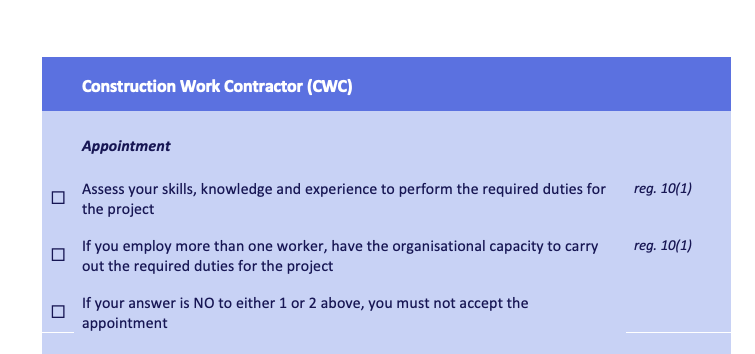
Duty holder checklist preview PCI template preview CPP template preview SHF template preview Inspection report preview

Use In Projects

Templates are most useful when they are adapted to the project risk profile.

OSHCDM can help tailor the documents to suit project size, procurement route, duty holder structure, site conditions, and documentation maturity.

  • Customise checklists for project role and scope.
  • Align template headings with project procedures.
  • Use review records to keep actions traceable.
Duty holder checklist adapted for project documentation

Request Templates

Ask for the template set that matches your project.

Contact OSHCDM with the type of project and the documents you need.